More than a calendar
TimeTree stops at events. Noa adds shared tasks with assignment, shopping lists, and reminders — the other half of running a household.
TimeTree nailed the shared calendar. Noa adds the rest of family life — tasks, shopping lists, reminders and a WhatsApp assistant — in one calm app.

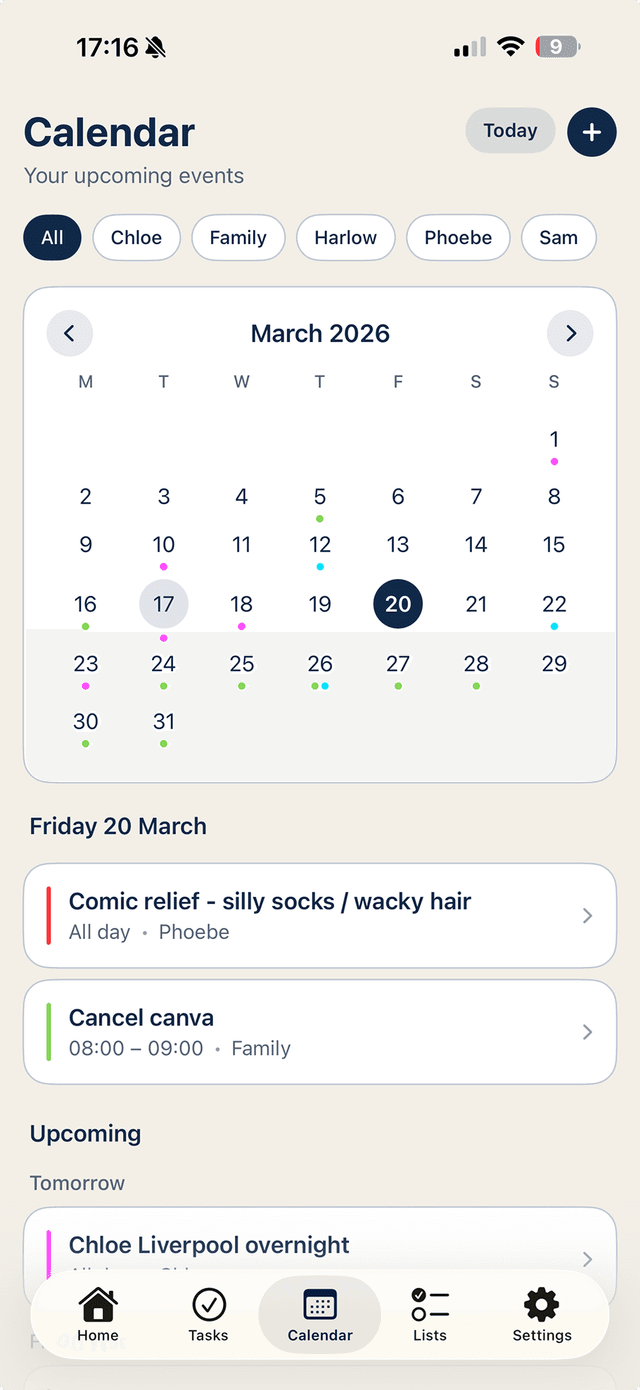
TimeTree stops at events. Noa adds shared tasks with assignment, shopping lists, and reminders — the other half of running a household.
No keeping-another-app-open. Message Noa on WhatsApp and events, tasks and list items file themselves.
No banner ads in your family's schedule. A quiet, warm interface designed to be glanced at, not lived in.
TimeTree does one thing genuinely well: a shared calendar that several people can see and edit. For plenty of families that's where it starts and ends — and if all you need is events, it's a fine choice.
The trouble is that family life isn't only events. The dentist appointment sits in TimeTree, but the 'book the dentist' task lives in someone's head, the shopping list lives in a notes app, and the 'whose turn is the school run' conversation lives in WhatsApp. Four systems, one household, and the gaps between them are where things get dropped.
Noa keeps the shared calendar — connected to the Apple and Google calendars you already use, so nothing moves — and adds shared tasks, shopping lists and reminders in the same app. Assign the birthday-present buying to a named person. Tick off the big shop from either phone.
Then there's the part no calendar app does: you can message Noa on WhatsApp. 'Add sports day to the calendar, 14 July' or 'put batteries on the shopping list' — sent from the school car park, filed correctly, visible to the whole household.
Because Noa connects to Apple and Google Calendar rather than replacing them, there's no export/import dance. Download Noa free, connect your calendars, invite your household — up to six people share one plan, free for the first 7 days.
Keep TimeTree installed while you try it if you like. Most families find that once tasks, lists and the calendar live in one place, the second app quietly stops being opened.