One calm app for the whole household.
Calendars, tasks, shopping lists and reminders — together in one place, shared with your family, and in sync even over WhatsApp.

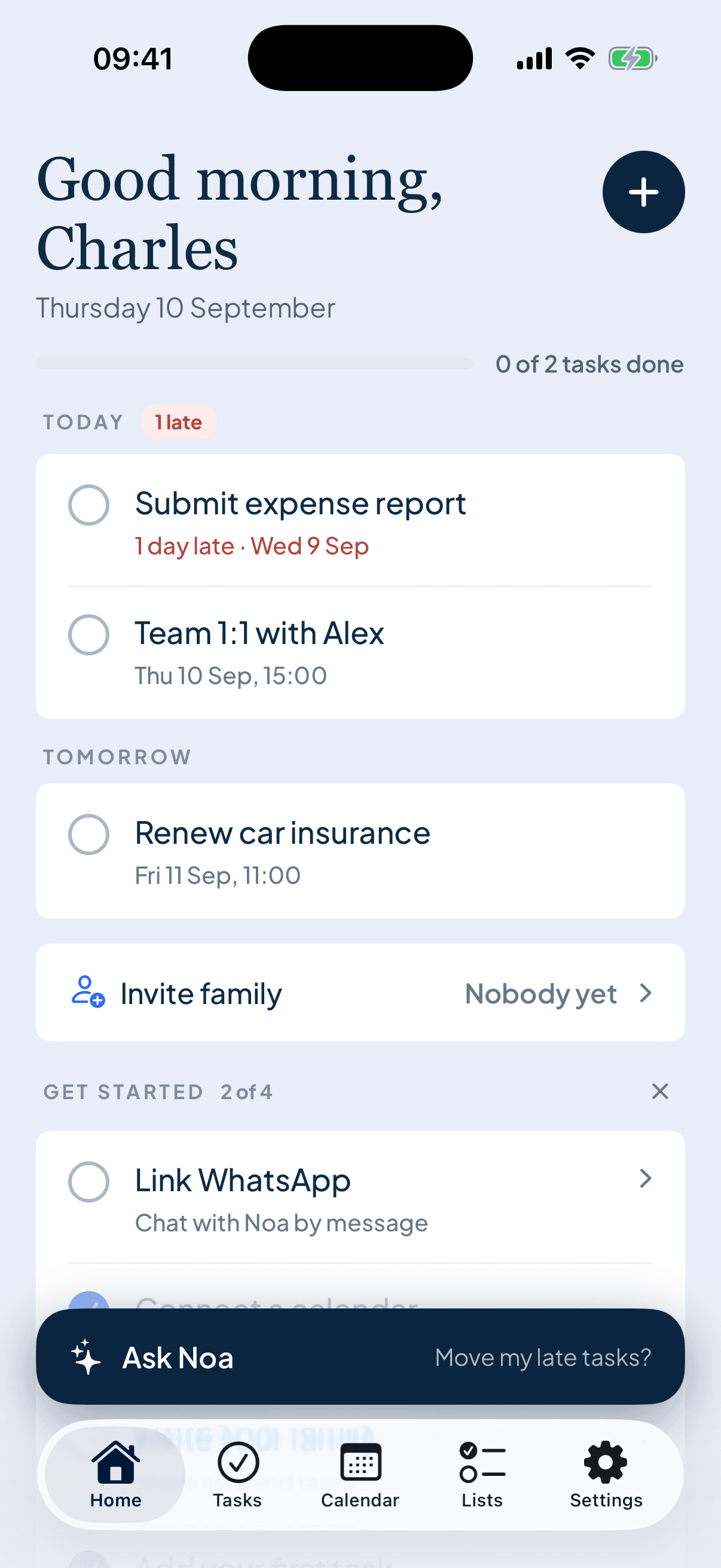
Everything your household runs on, in one place.
Six things families juggle across five apps — Noa does them all, calmly.
Everyone's calendar, one view.
Apple and Google calendars side by side — school, work and clubs together, clashes visible before they happen.
Tasks that get done.
Capture in seconds, assign to a person, nudge when overdue.
Lists you can share.
Shopping, packing, gifts — ticked off live from anyone's phone.
A briefing, every morning.
7am, push or WhatsApp: today's events, tasks and what not to forget.
On your home screen.
Widgets for today at a glance; gentle nudges before things slip.
Up to 6 people, one plan.
Everyone sees the same lists, calendars and tasks, from their own phone.
An ordinary Tuesday, handled.
The day arrives, already sorted.
Your briefing lands before breakfast — what's on, what's due, and what changed overnight.
Thought of it? It's captured.
Message Noa on WhatsApp from the school run. It files things in the right list, every time.
The hand-off, handled.
Whoever's on pick-up gets the nudge — not everyone, not no one. Just the right person.
Tomorrow, already in view.
One glance before bed. No Sunday-night scramble, no morning surprises.
No app open? No problem.
Message Noa like you’d message a person. Works from any phone — even without the app — and stays in sync for the whole household.
Try Household, on the house.
The full family experience from day one — shared calendars and lists, task assignment, briefings, WhatsApp for everyone. Cancel before the week is up and pay nothing.
 No card charged for 7 days · no commitment
Free to start, free to try.
Download free and use Noa forever. Try everything Household offers, free for 7 days.
Questions, answered.
The short version: it’s free to download, the Household trial is genuinely free, and cancelling takes two taps.
Is Noa free?
Yes — download Noa free and use it every day at no cost. The free plan includes tasks, lists, a calendar source and a monthly allowance of WhatsApp messages and voice commands.
How does the Household free trial work?
You get everything — shared lists and calendars, task assignment, family briefings — for up to 6 people, free for 7 days. Nothing is charged until the trial ends, and you can cancel anytime in your App Store settings.
Which devices does Noa work on?
Noa is an iPhone app, with widgets for your home screen. You can also talk to Noa from any phone over WhatsApp — handy for family members without the app.
Do I need to move my calendar?
No. Noa connects to your existing Apple and Google calendars and brings them together in one view. Nothing moves, nothing breaks.
How is my family's data handled?
Your household's data is private to your household. We don't sell data, and you can delete your account — and everything with it — from inside the app at any time.
Your life, organised.
Download Noa free today — and give your household its calmest week yet with 7 days of Household, free.
 Scan to download