No hardware to buy
No wall screen, no power lead, no deciding which room the family hub lives in. Everyone's phone is the display.
Skylight puts your family's schedule on a screen in the kitchen. Noa puts it on the phones you already own — plus tasks, lists and WhatsApp — with nothing to buy.

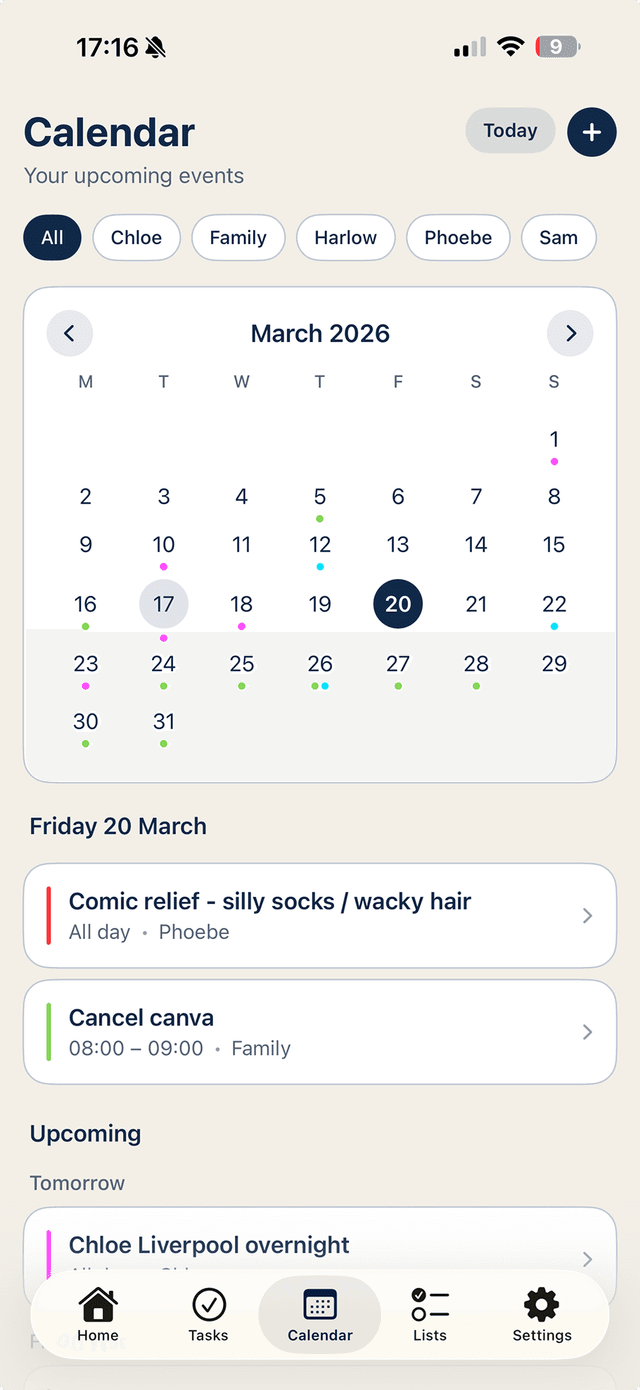
No wall screen, no power lead, no deciding which room the family hub lives in. Everyone's phone is the display.
A kitchen screen can't remind you about pick-up while you're at work. Noa's reminders and widgets travel with each person.
Shared task assignment and live shopping lists, synced to every phone in the household — no premium hardware tier.
Skylight Calendar is a lovely idea: an always-on screen in the kitchen showing the family's week, chore charts and meal plans. It's the paper wall planner, upgraded. If your household genuinely gathers in one room and glances at one spot, it can work well.
But it inherits the wall planner's oldest flaw: it only works when you're standing in front of it. The schedule conflict surfaces at work; the shopping list matters in the supermarket; the 'leave now for pick-up' nudge is needed in the car. A fixed screen — a three-figure purchase before any optional subscription — can't follow you out of the door.
Noa takes the same job — one shared picture of family life — and does it on the phones your household already carries. A shared, colour-coded calendar synced with Apple and Google Calendar. Chores assigned to named people, with nudges that follow them around. Shopping lists that update live from any phone, including in the supermarket queue.
And because Noa has a WhatsApp assistant, adding things doesn't even require opening the app. Message 'swimming moved to 5pm Thursday' and it's on everyone's calendar. A kitchen screen can't do that.
There's no hardware cost to recover, so trying Noa is genuinely low-stakes: the app is free to download and use, and the Household plan — shared calendars, lists and task assignment for up to six people — is free for the first 7 days. If a screen for the kitchen still appeals afterwards, an old iPad on a stand running Noa does the job nicely.